 Termark
 iOS
iOS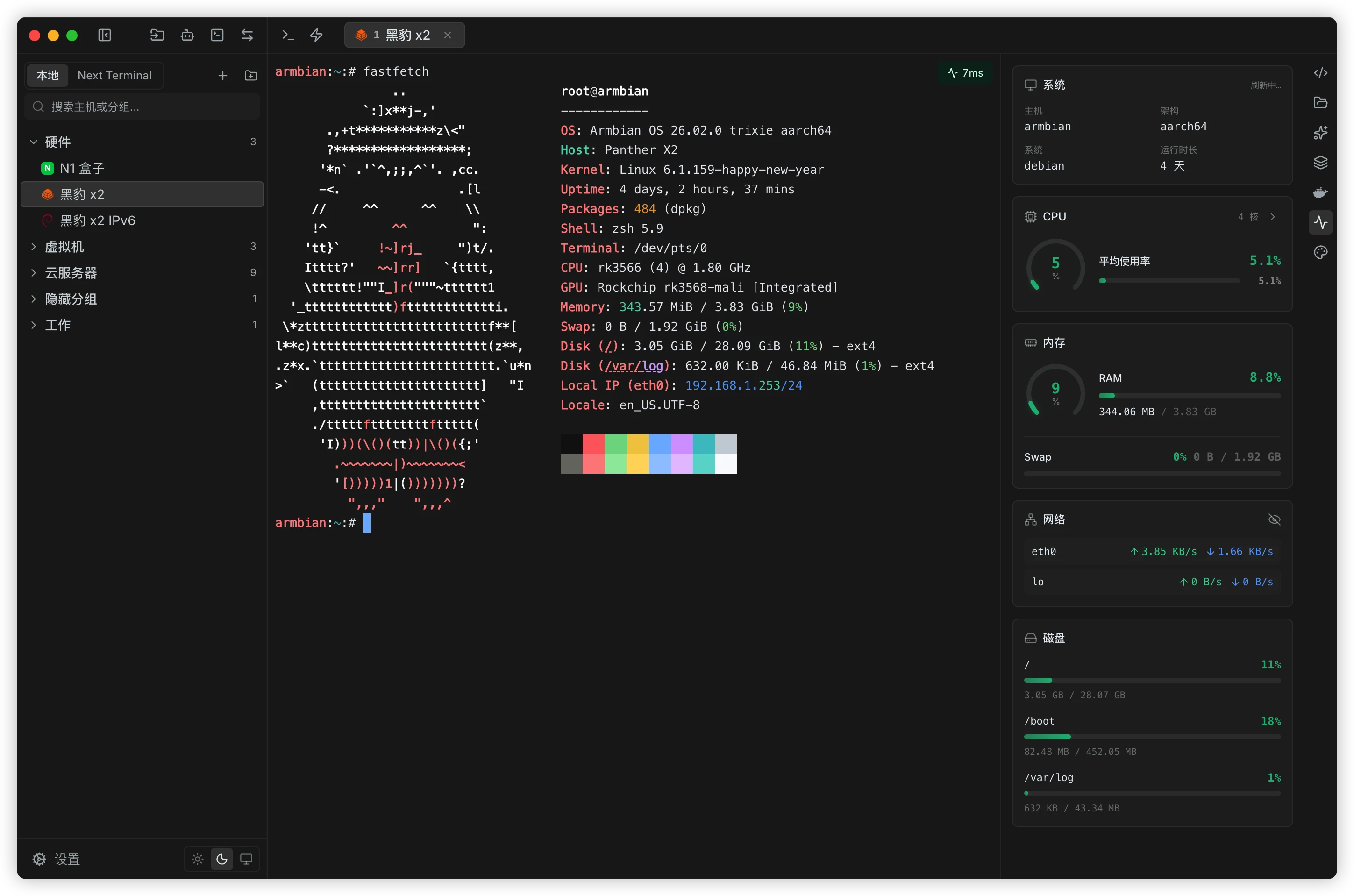
Asset management
Manage SSH, Telnet, serial, local terminal, and NextTerminal assets from one place, with credentials organized for repeated access.
WORKSPACE
A practical terminal workspace for daily operations, automation, and secure access.
Manage SSH, Telnet, serial, local terminal, and NextTerminal assets from one place, with credentials organized for repeated access.
Use tabs, split panes, search, auto reconnect, command snippets, and keyword highlights to keep busy sessions readable.
Free includes file and folder transfers, online editing, and a dual-pane workspace. PRO adds accelerated uploads and downloads plus quick delete.
PRO runs commands on multiple machines at the same time while keeping each host's output separate and easy to review.
PRO adds graphical management for Docker, systemd, processes, and tmux. Basic CPU and memory metrics remain free.
Create local and remote forwarding rules, save common tunnels, and reuse them when working across private networks.
Free includes session history, static playback, and single-recording exports. PRO adds automatic recording, dynamic playback, and batch exports.
Use terminal-scoped AI with recent output, or Global AI with saved hosts identified by selection or asset search. Choose Auto, Balanced, or Strict approval.
Expose assets and operations to Codex, Claude, and OpenCode so external tools can run commands or transfer files through Termark.
Sync through the official service, WebDAV, S3, iCloud, or a local directory after client-side encryption.
Keep local data encrypted, lock the app when needed, and connect to diverse environments with GBK, legacy host algorithms, keyboard-interactive authentication, and SSH keepalive.
IN ACTION
Short videos showing how Termark feels in terminal, file transfer, AI, and external tool workflows.
Use recent session output to analyze errors and generate commands. Execution defaults to a background SSH channel, with an optional visible terminal shell mode; approval follows the selected policy.
When the terminal path changes, the file manager follows and opens the matching directory.
Keep multiple sessions in one workspace so you can investigate and compare output side by side.
Switch themes for your environment and preferences while keeping long terminal sessions readable.
Blend terminal windows into your desktop while preserving a clear command reading experience.
Let Codex, Claude, and OpenCode call Termark assets, run commands, and transfer files.
FREE & PRO
Start free. Upgrade when your workflow needs more.
Core SSH and SFTP stay free. PRO adds batch operations, advanced server tools, accelerated transfers, and encrypted multi-device sync.
Best for ongoing use, product updates, and support.
About ¥5.67/month
One payment for long-term use on all supported platforms.
Pay once
GET TERMARK
Choose your platform. Latest release: Loading…
 macOS
macOS Windows
 Linux
LinuxOn macOS you can also install with Homebrew:Homebrew Tap
iOS is live on the App Store. Android is still in beta, and we welcome your feedback.
Loading version…
Available on the App Store for iPhone and iPad.
TestFlight preview builds (review can lag a few versions)