
Termark AI Assistant Design: Scope, Execution, and Approval Boundaries
I built an AI assistant in my other product, NextTerminal, quite early on.
The first version was simple: users configured an API, a model, and a prompt in the backend, then opened a terminal and could ask, "How should I write this command?" The AI would return a command, and the user would decide whether to run it.
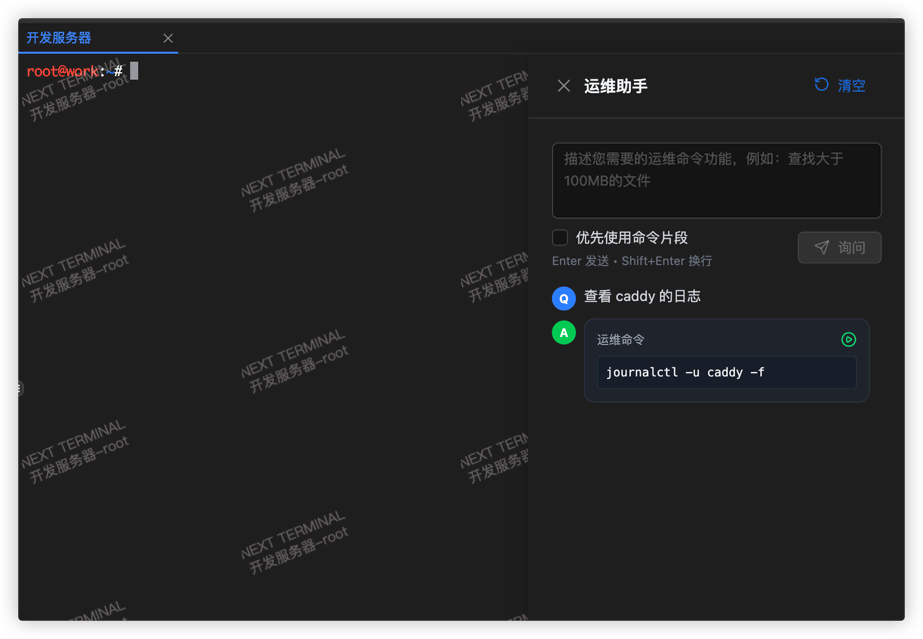
The feature was not complicated, but the feedback was decent. It solved a very specific problem: people working in terminals are often not completely stuck, they just need a fast direction finder, such as checking logs, inspecting processes, writing a grep, explaining an error message, or filling in a parameter they forgot.
I never pushed it further into a more aggressive "autonomous ops agent". The reason is simple: a server and a code repository are not the same thing.
If an AI deletes the wrong file in a code repository, most of the time you can still recover from git. On a Linux machine, one bad command can wipe logs, configs, database files, or even break a machine that is actively serving traffic.
When I later built Termark, I could have rethought the AI from scratch: how to provide context, what form the agent should take, whether to support external agents, and so on. But I did not change the judgment I reached with NextTerminal. For server scenarios, the goal of AI is not to do more. The goal is to improve efficiency within a boundary you can control.
Session AI and Global AI use different context
Termark now provides two AI scopes. Session AI is bound to one terminal session and can include the most recent N lines of terminal output plus the exact session ID. Global AI does not automatically receive active-terminal output; it works with hosts or groups that the user explicitly selects. Conversation history is stored separately for each scope.
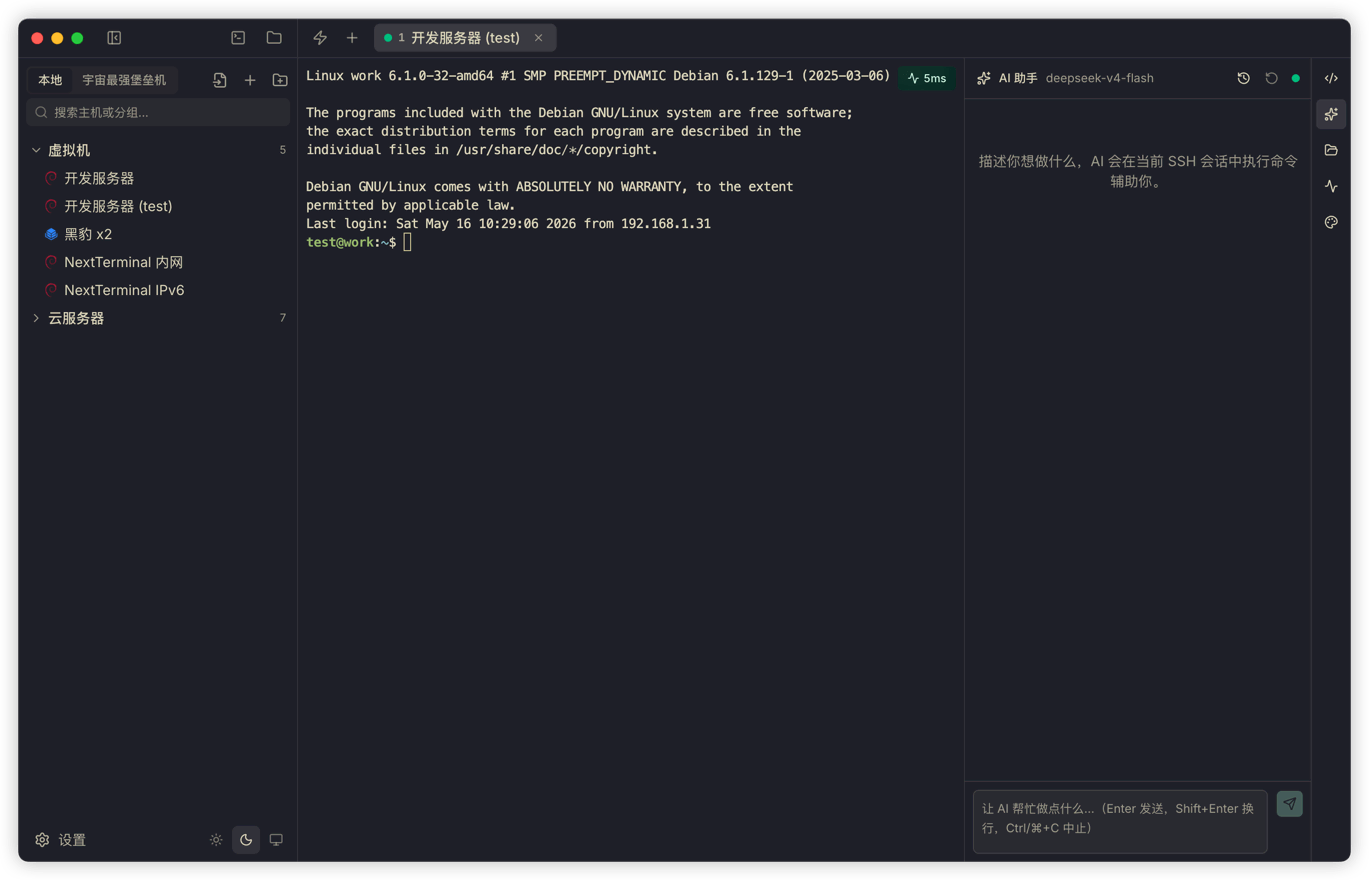
Command execution also has two modes. Background, the default, reuses the current SSH connection through a separate background exec channel. It does not write into the visible terminal or share the terminal shell's cwd, aliases, or temporary environment variables.
When a command must share the current directory, aliases, a switched user, or temporary environment, users can select Terminal Shell. That mode writes into the current visible terminal shell. The tradeoffs are shell-history pollution and lower stability for complex commands. Network devices and restricted shells use an isolated backend SSH shell and cannot switch modes inside the session.
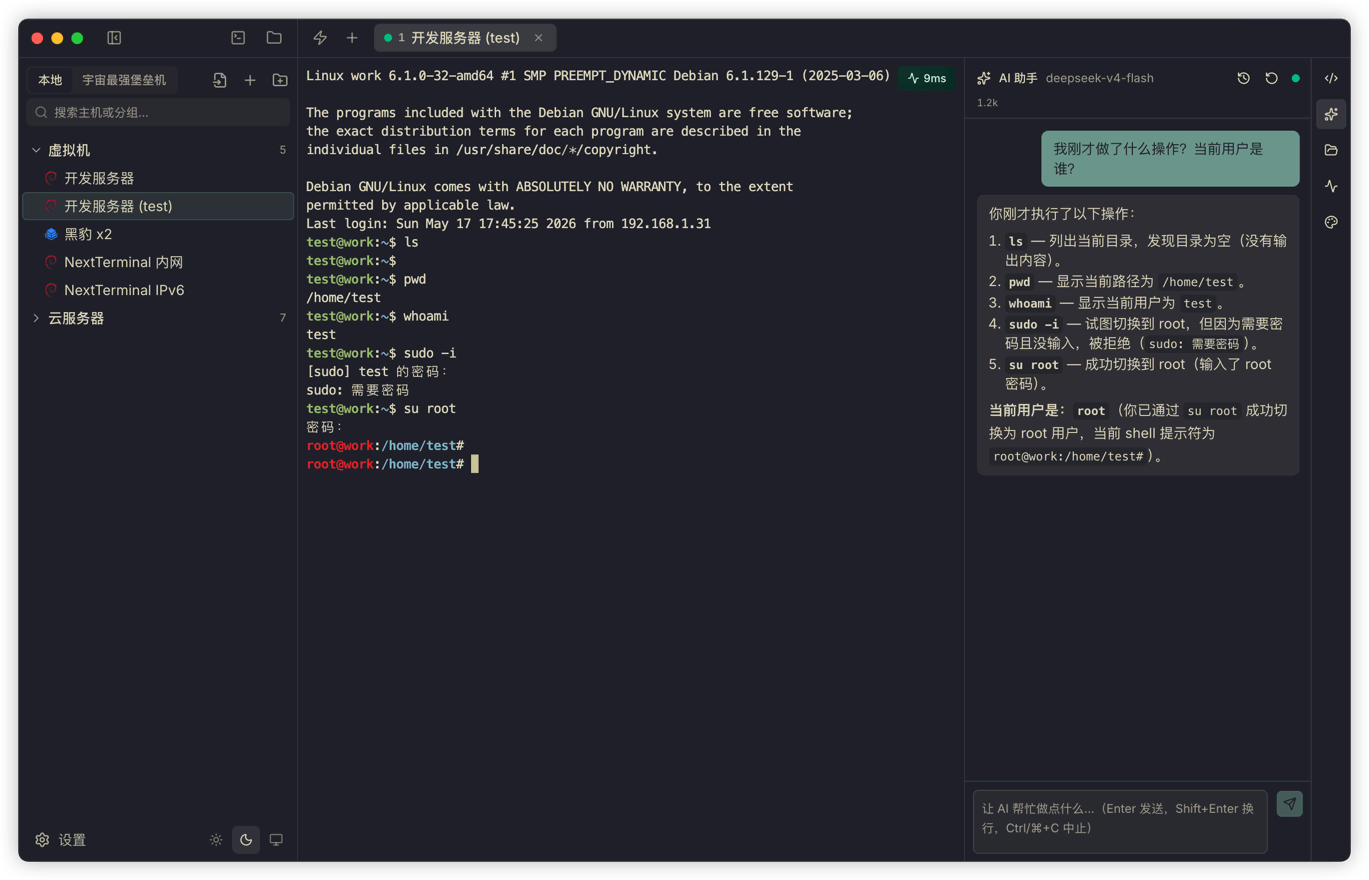
Execution channel and approval are separate controls: the channel determines where a command runs, while the approval policy determines whether the user must authorize it.
Auto, Balanced, and Strict
A server may be a personal VPS or a production system. Termark now provides three approval policies so users can choose the boundary that fits their environment:
- Auto: AI commands and file writes run without approval, for users who trust the selected model and want uninterrupted automation.
- Balanced (default): clearly read-only observation commands run automatically. File or config changes, installs, moves, service changes, and commands that cannot be classified as read-only require approval.
- Strict: every command proposed by AI requires explicit approval.
Balanced mode uses command-risk analysis that parses shell tokens and recognizes pipes, redirects, subshells, backticks, and command substitution. Writes, deletion, moves, installs, restarts, permission changes, and unclassified actions enter the approval flow.
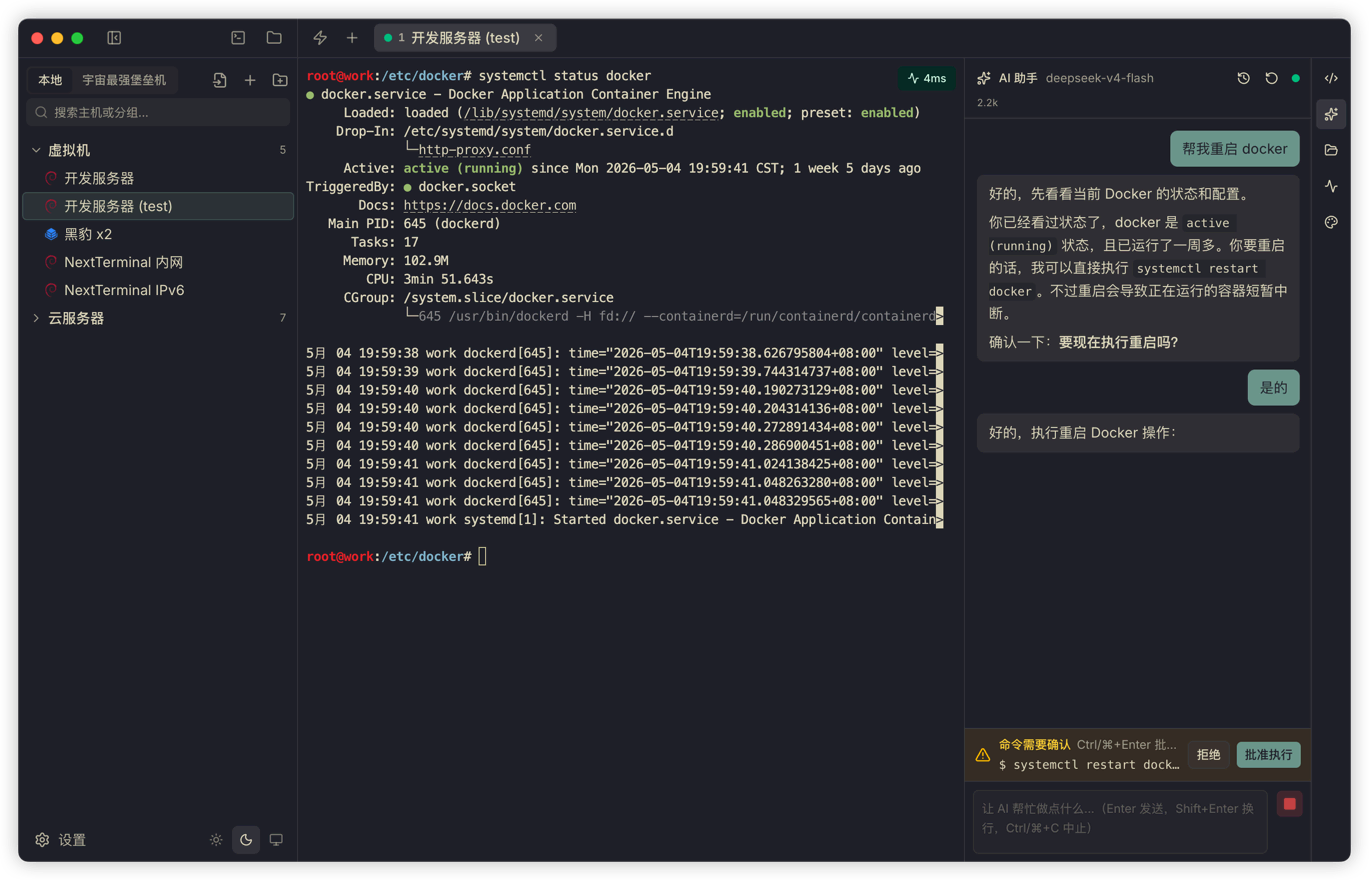
Auto removes interaction friction and delegates more judgment to the model. Because Termark accepts OpenAI-compatible services and model quality varies, Auto should not be read as a product guarantee that every generated command is safe. Commands and targets should remain inspectable in every policy.
Built-in agent
Termark includes an OpenAI-compatible built-in agent path for people who want to use a model they choose without building an entire toolchain themselves.
You can configure multiple API profiles, including OpenAI, DeepSeek, OpenRouter, Qwen, Kimi, Ollama, or a custom interface. Each profile can set its own API endpoint, key, model list, current model, reasoning parameters (reasoning effort per model), max retries, and custom User-Agent.
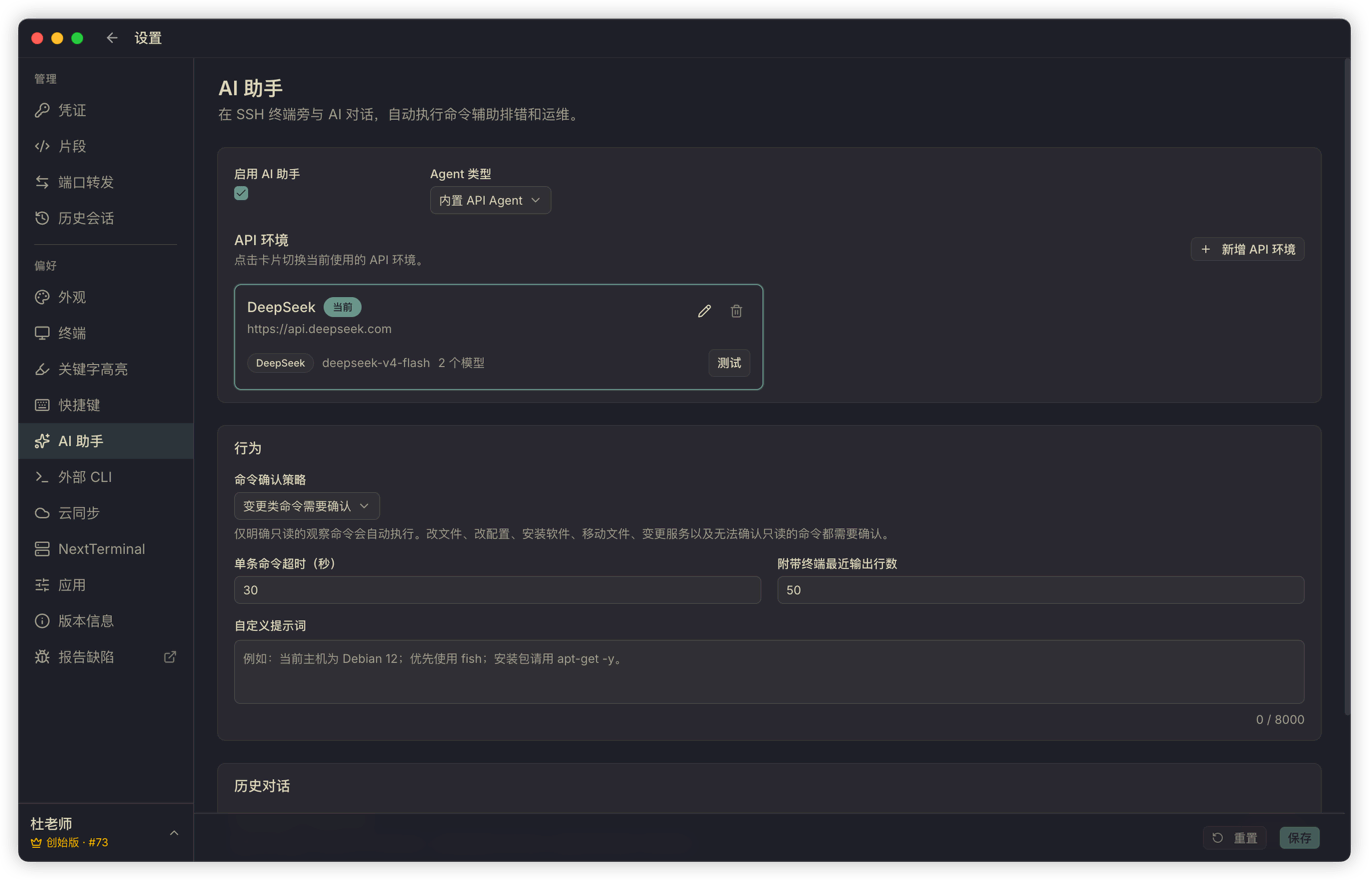
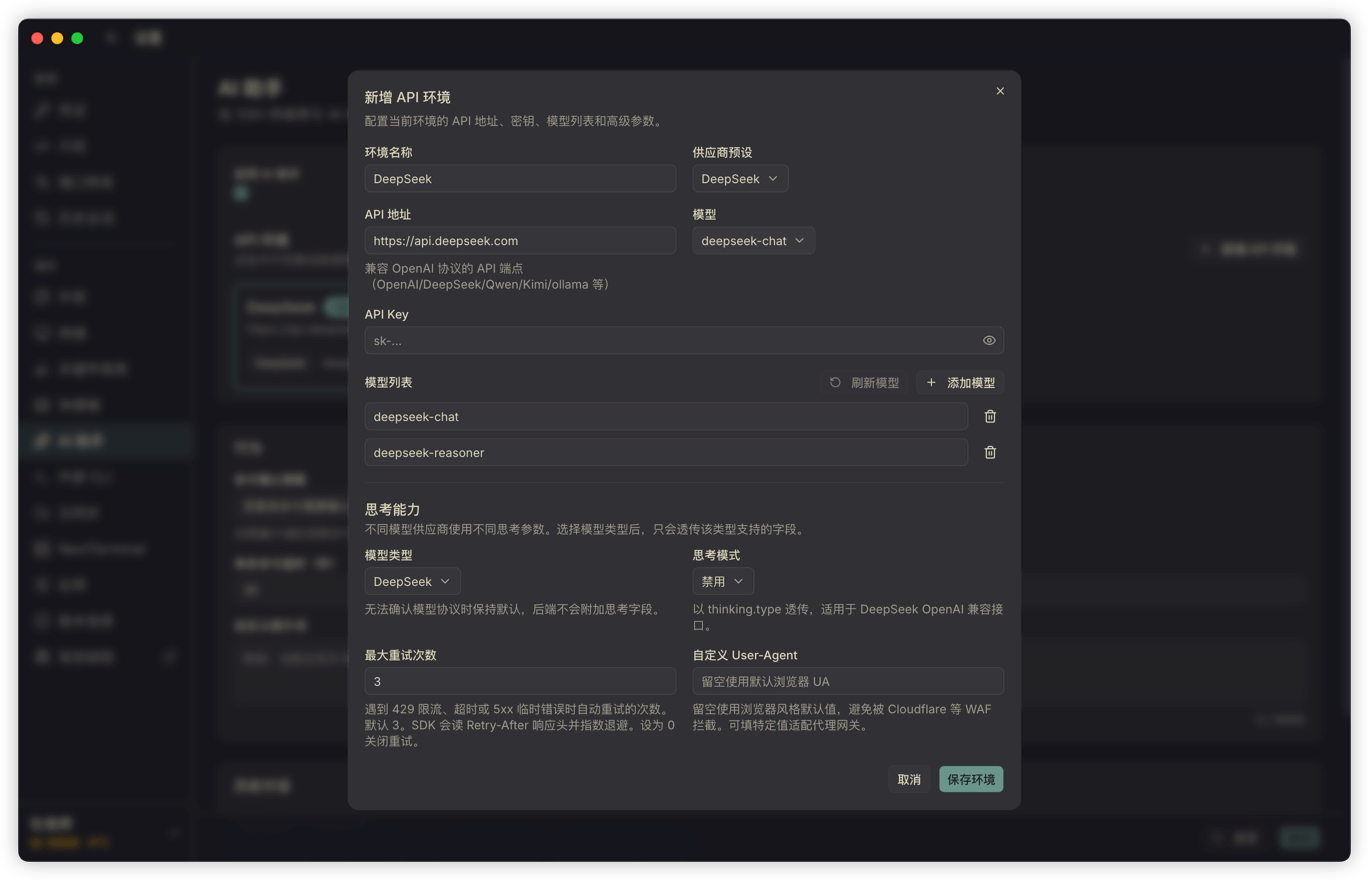
When I test it myself, I prefer fast, cost-controlled models for frequent terminal assistance. Session AI keeps context bounded to recent terminal output, the exact session ID, the required system prompt, and the user's question; the number of recent lines is configurable. Global AI does not automatically attach active-terminal output and instead loads hosts or groups the user explicitly mentions, which suits cross-asset work.
So right after:
systemctl status nginxyou can ask:
Help me figure out why it did not start.The AI can analyze the output you just saw instead of asking, "Please provide the error log."
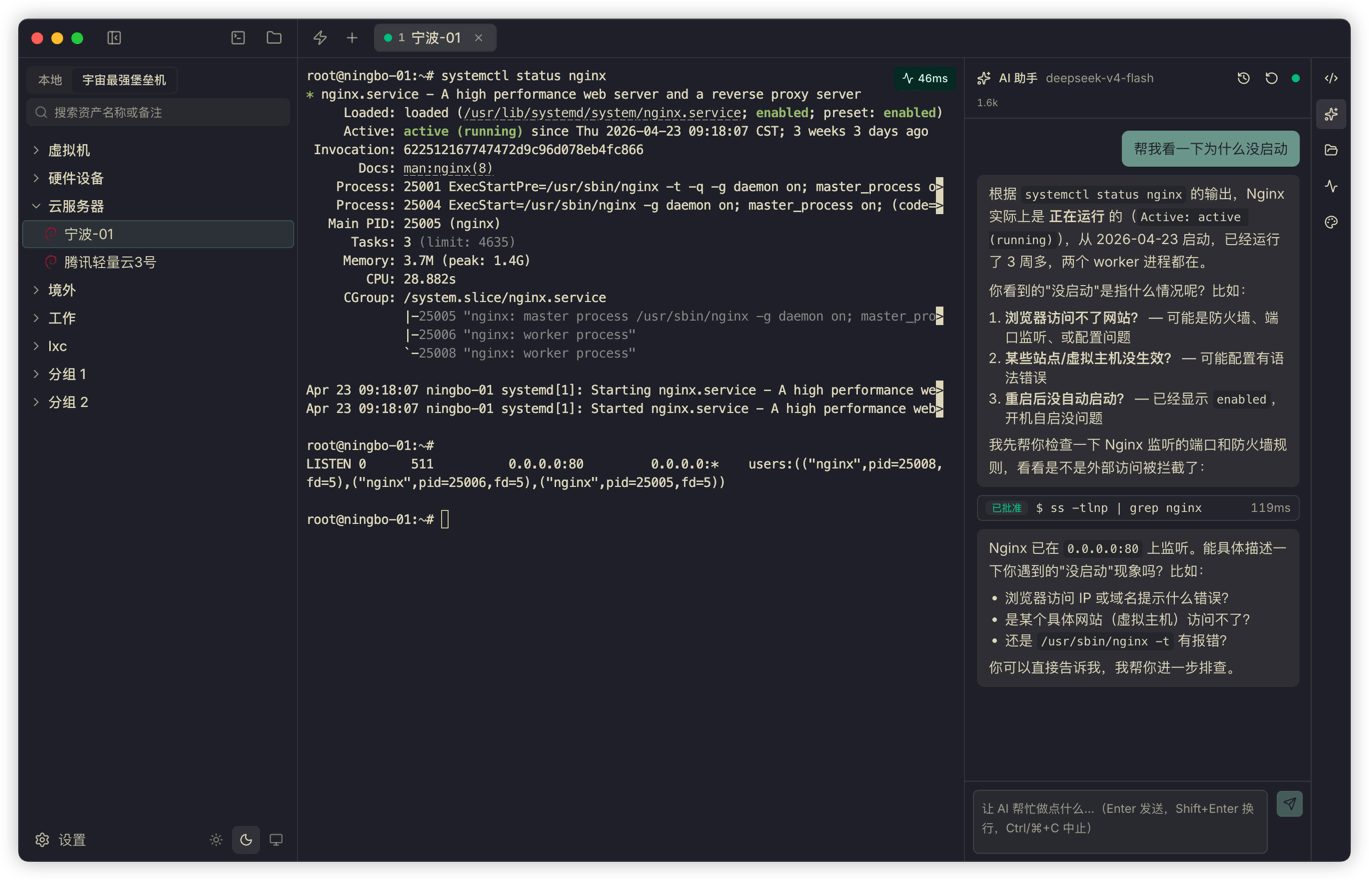
For day-to-day log interpretation, command generation, config inspection, and file search, that amount of context is usually enough. Pair it with keyword highlighting so that errors and warnings are already visible in the scrollback before you ask about them.
Lightweight models obviously have limits. I did not position the built-in agent too aggressively. Its role is to be an assistant next to the terminal that can see the scene and execute limited commands, not to run an entire ops workflow for you. It is good for checking disks, ports, and errors; I do not encourage changing production config without confirmation.
External CLI: for the agents you already use locally
There is another scenario in the opposite direction.
Some people already use Codex, Claude Code, or OpenCode heavily in their local terminal and do not want to switch to the Termark AI panel. The problem is that those local agents do not have access to the user's SSH assets by default. They do not know passwords, private keys, or jump host configuration, and from a security standpoint they should not know those things.
Termark handles this by providing an external CLI.
With a few clicks in the settings page, you can install the termark command into your PATH and also install the Termark skill into the skills directory of Codex, Claude, or OpenCode. After that, local agents can use termark:
termark assets list -q <keyword> --json
termark assets show <asset-id> --json
termark exec <asset-id> "<command>"
termark upload <asset-id> <local-path> <remote-path>
termark download <asset-id> <remote-path> <local-path>
termark sync <asset-id> <local-dir> <remote-dir>
For complex PowerShell commands, termark exec <asset-id> --stdin accepts the command on standard input. The CLI also provides JSON-based host and credential record CRUD commands; those explicit management operations should not be confused with one-off remote execution.
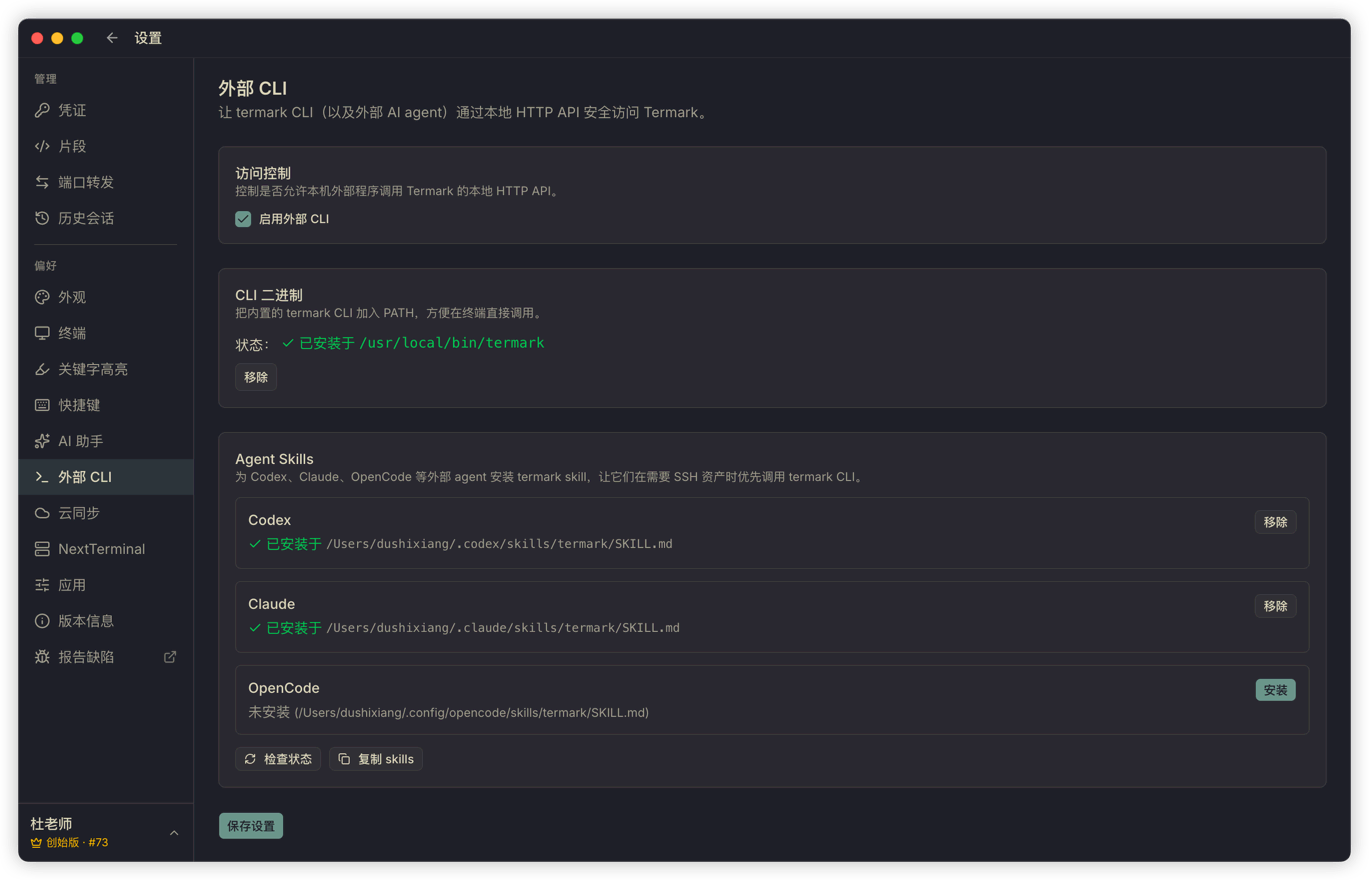
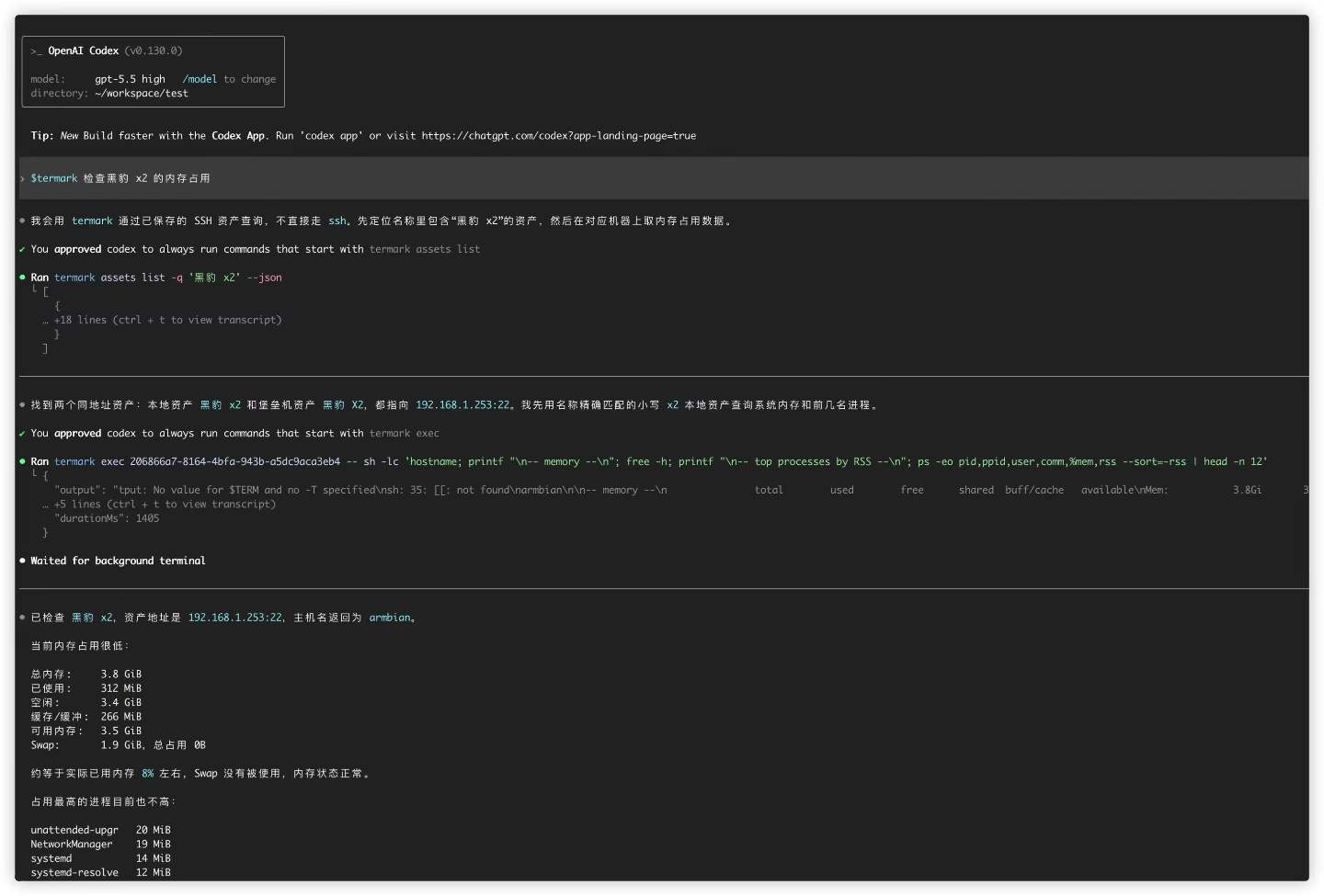
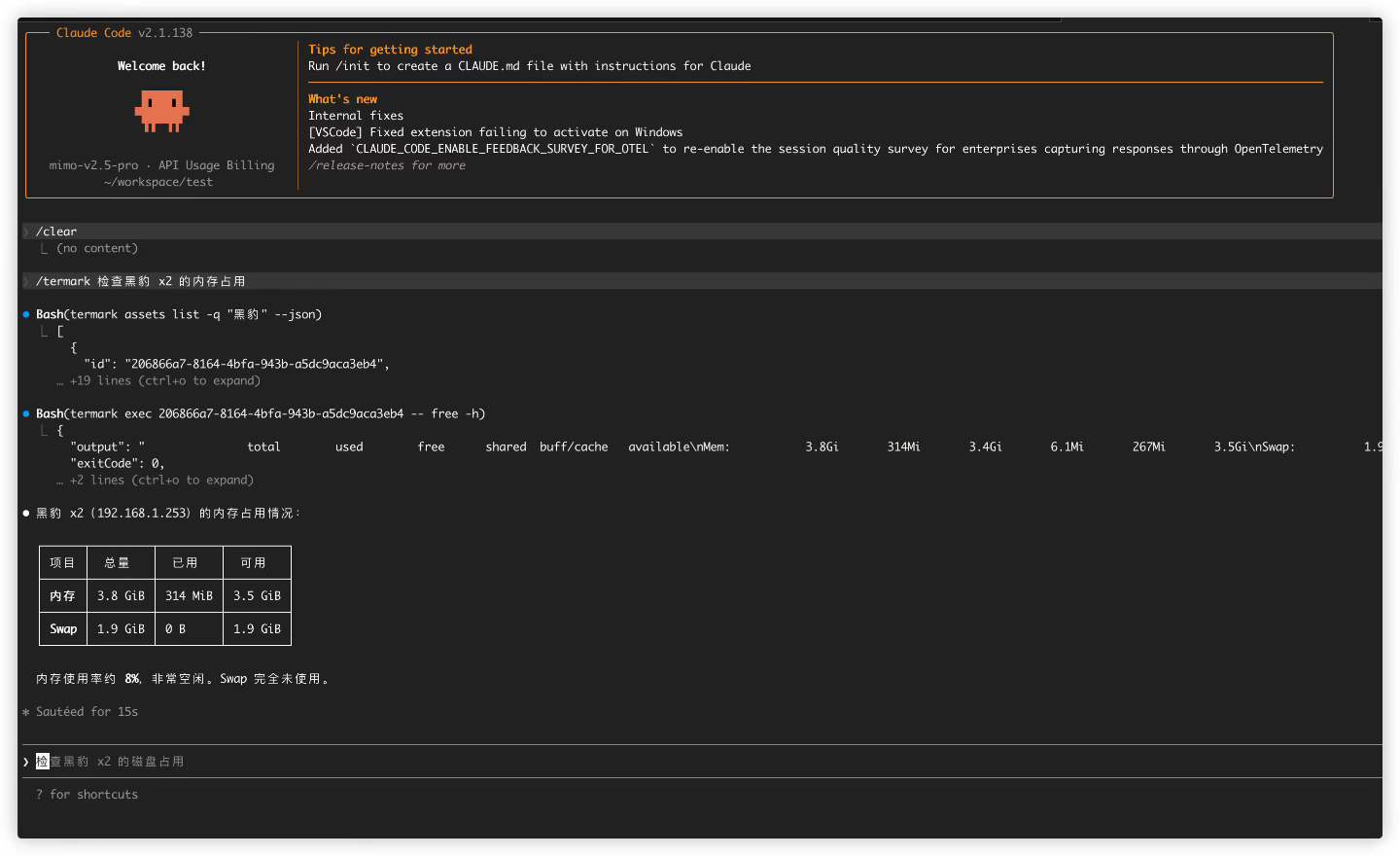
The external CLI does not hold credentials directly. It reaches controlled capabilities through the running Termark desktop app, while credentials, jump hosts, and connection details stay inside Termark, in locally encrypted storage.
The External CLI talks through a local HTTP API to the running Termark desktop app and must be enabled first. exec uses saved credentials to open a temporary SSH connection, runs one command, then closes it; it does not attach to the visible terminal. Long jobs should use tmux, nohup, or systemd remotely. Upload, download, and sync support folders, while host and credential management commands use JSON input and output.
It is not meant to be a universal remote agent. It is just a safe way to let existing agents reach your servers.
Two paths for two kinds of users
At this point, Termark's AI story really has two entry points.
One is the built-in OpenAI-compatible agent. Users choose the model they want, let the AI watch the SSH terminal scene, analyze problems, and execute controlled commands, while safety is enforced by Termark's confirmation strategy.
The other is the external CLI. The local agent workflow stays the same, but it gets a new command that can safely access Termark assets. Credentials do not go to the agent; they stay on the Termark side.
I did not want to force everyone into just one path. Some people care about integration cost and model choice. Others care about their existing workflow. Both entry points use assets and credentials stored in Termark, but their execution paths differ. Built-in AI uses session or Global AI tools; External CLI exec uses a temporary SSH connection. They should not be described as sharing one visible terminal session or one approval flow.
Which tasks suit an AI SSH assistant
Tasks that fit AI assistance well: explaining the most recent error output, generating read-only diagnostic commands, searching configuration, summarizing logs, and suggesting the next thing to check. Anything involving deletion, writes, installs, permission changes, or service restarts should have the complete command and the target host visible to the user first.
If you are evaluating this kind of workflow, look at the Termark AI SSH client. For the client-side boundary around stored credentials and synced data, the companion article is Your SSH Keys, Your Machine.